Language Access
The City of Spokane aims to provide equal access to City information to all residents of Spokane, no matter their primary language.
Browser Translation Tools
Most popular internet browsers include built-in translation tools that allow users to translate web content to a language of their choice.
How to Translate Webpages on Mobile Devices (Smartphones)
- On the webpage you’d like to translate, open the browser’s settings menu. Depending on your device model and browser, the menu icon might look like ellipses (…), three stacked horizontal lines (☰), or another type of menu symbol.
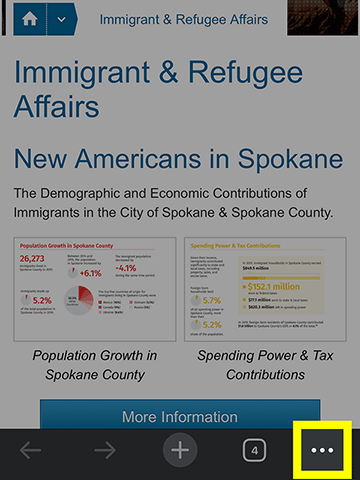
Google Chrome
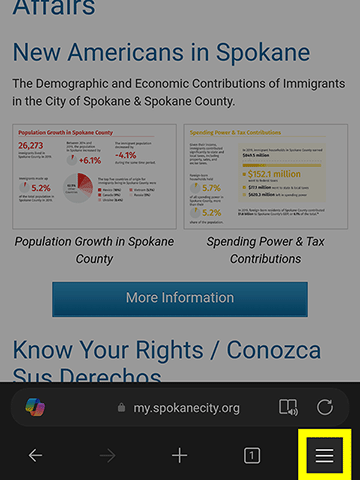
Microsoft Edge
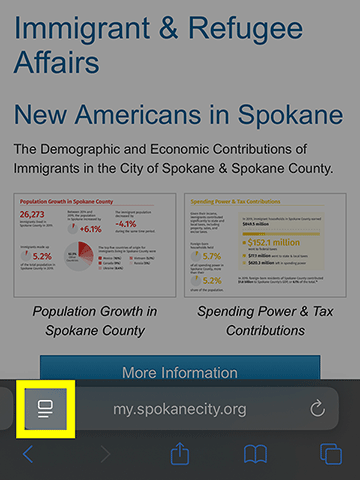
Apple Safari
- Tap the “Translate” option to open language options.
- In the Translate menu, select your preferred language. The browser will automatically translate the page.
- At any time, you may re-open the Translate menu to update your language settings by tapping the translate icon.
How to Translate Webpages on Desktop Devices (Computers)
- On the webpage you’d like to translate, right-click on the page or select the top-right menu icon to open the browser’s settings menu. Depending on your browser, the menu icon might look like vertical ellipses (⋮), three stacked horizontal lines (☰), or another type of menu symbol.
- Select the “Translate” option to open language options.
- In the Translate menu, select your preferred language. The browser will automatically translate the page.
- At any time, you may re-open the Translate menu to update your language settings by selecting the translate icon.
View full instructions:


